
How can I change the aircraft type in the Airport Briefing EFB on my device?
From the menu in the top-right corner, go to Settings → Aircraft – Edit the aircraft type.
Note: The aircraft type can only be changed if Fleet and Aircraft entries have been added to the Admin Panel’s Content Management System. If no fleet or aircraft is added, there will be no aircraft available to edit.
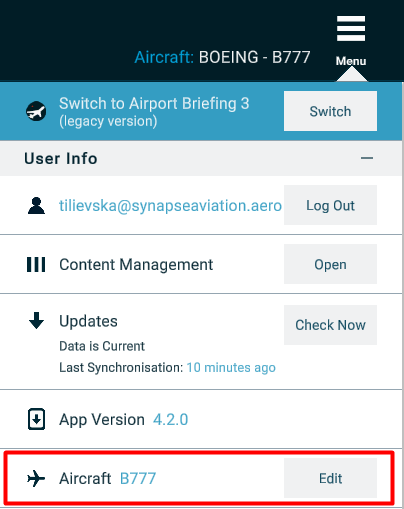
You can also change the aircraft type by clicking on the Aircraft in the upper right corner next to the menu and change the type.

 Karolina Maksimovska