
How can I change the UI size in the Airport Briefing EFB on my device?
From the menu in the top-right corner, go to Settings → UI Size and adjust the slider.
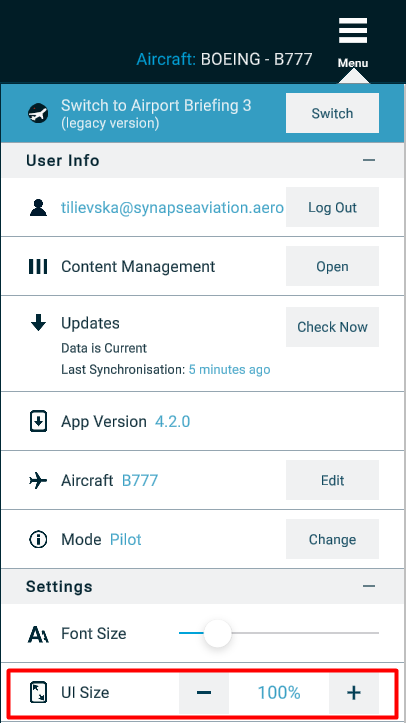
From the menu in the top-right corner, go to Settings → UI Size and adjust the slider.
Send us a short message and our team will be happy to contact you back with available date/time slot for a demonstration of the main features and benefits of the product. We will be looking forward to your queries!
Request A Demo