
How can I edit a username in the Admin Panel?
Once a username is created in the Admin Panel, it cannot be modified. However, the user can be deleted or disabled.
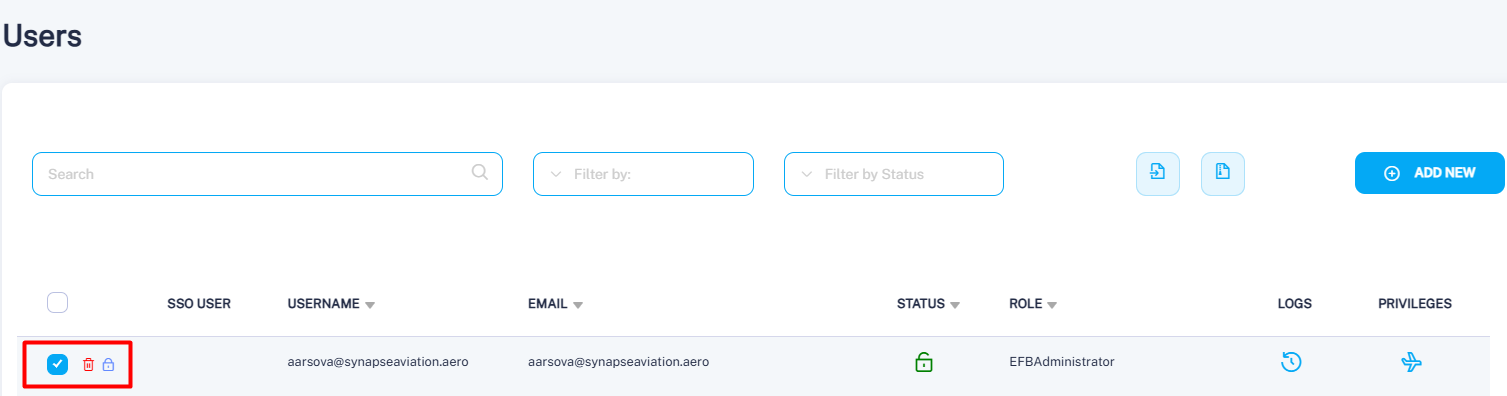
To do so, navigate to the Users menu in the Admin Panel, select the checkbox next to the relevant user, and the available action icons will appear. Use the trash bin icon to delete the user, or the lock icon to disable the account.