
How can I create a new flight in the Airport Briefing EFB on my device?
From the upper-left corner of the interface, select the Flight tab. Input the ICAO codes for the Departure Airport and Arrival Airport. Optionally, enter Callsign.
Add the Route Details: You can build the route by manually entering: Navaids, Waypoints, Airways or simply copy and paste the entire route directly from your OFP (Operational Flight Plan).
- Include Alternate Airports.
- Add ETOPS Alternates, if required.
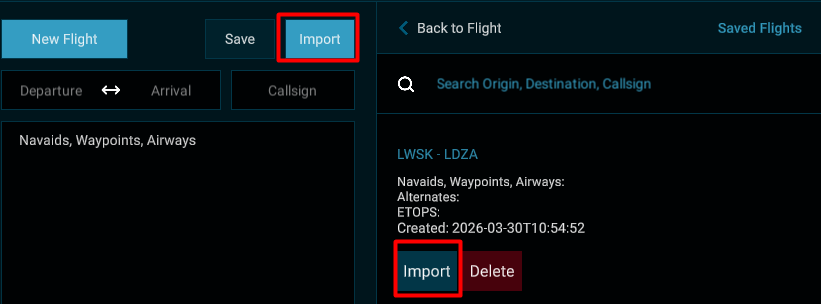
Once the data is entered, the flight path will automatically be displayed on the globe, and you have the option to save it. To use any saved flight, please use the Import button.
Additional Notes
- If you enter only the departure and arrival airports ICAO codes, the system will display the great‑circle distance on the map.
- A flight path can be created only between airports that exist in your database.