
How can I download Route and Area backup files from the system?
Users can generate a ZIP file that contains a PDF backup created from the most recent available data. This file can then be downloaded and saved to your computer.
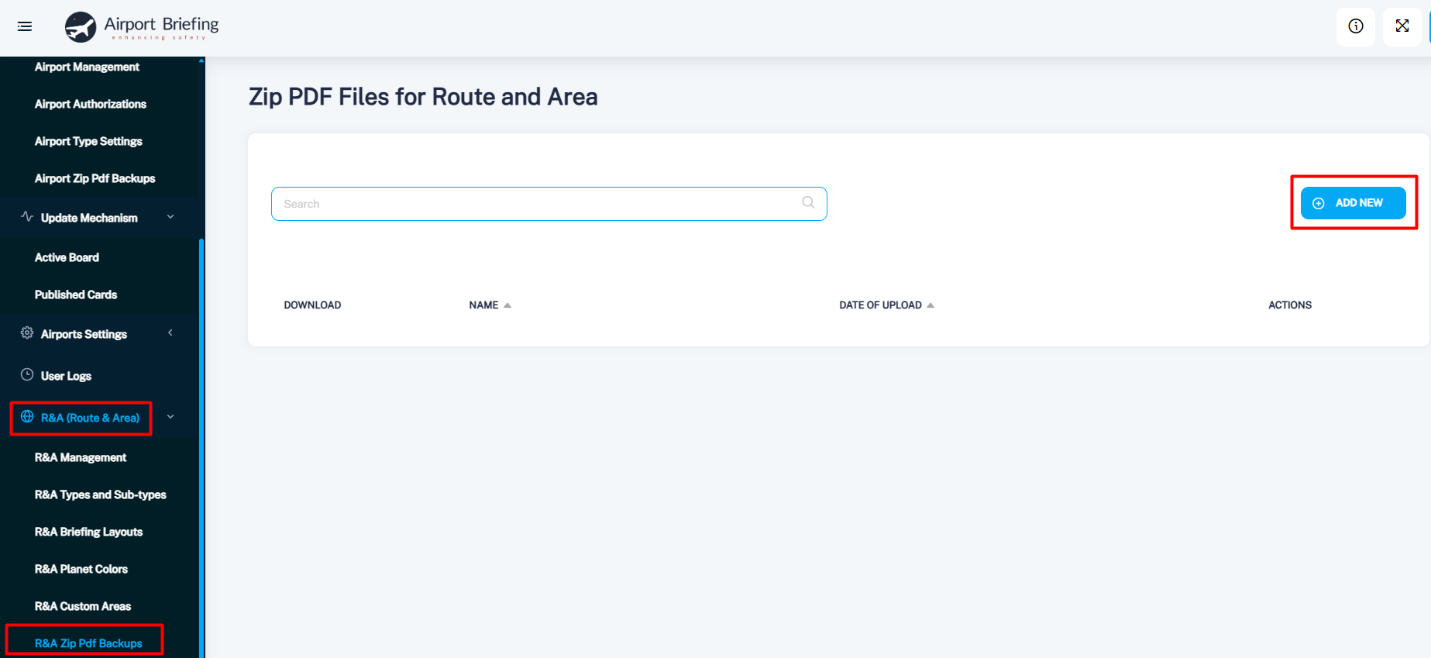
To create the backup, go to: R&A (Route & Area) → R&A Zip Pdf Backups → Add New, enter a name, select a date, and click Save.
A downloadable ZIP file will be generated, containing all Route and Area related changes from your database—from the last recorded update up to the date you selected when creating the file.