

How can I download a backup for the briefings content I am creating in the Admin Panel?
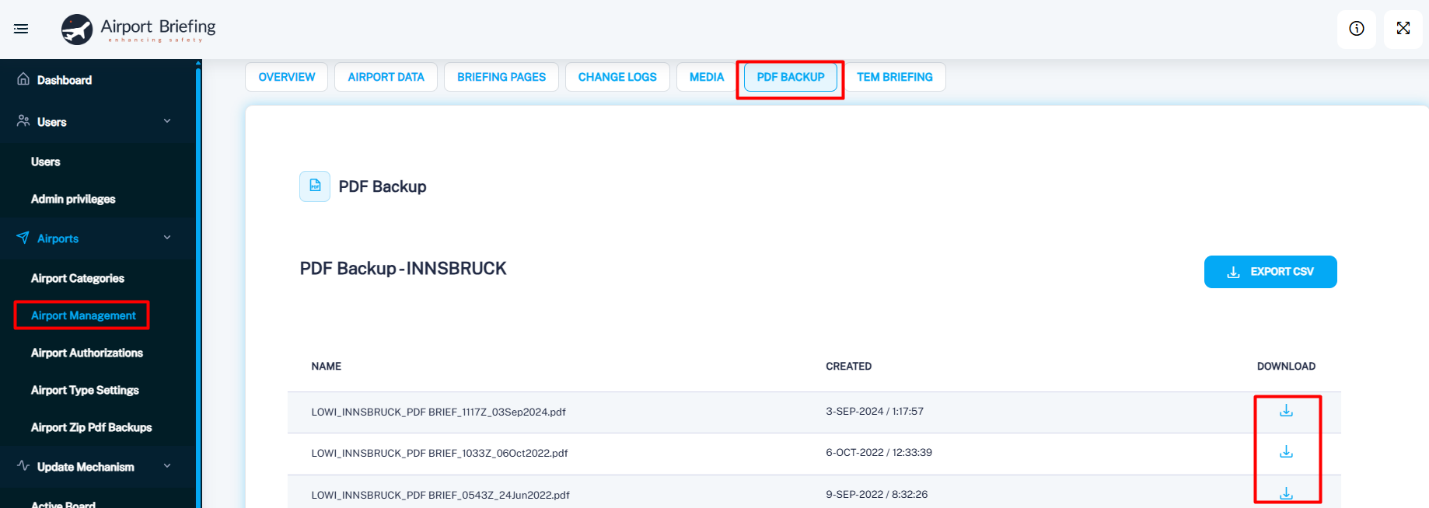
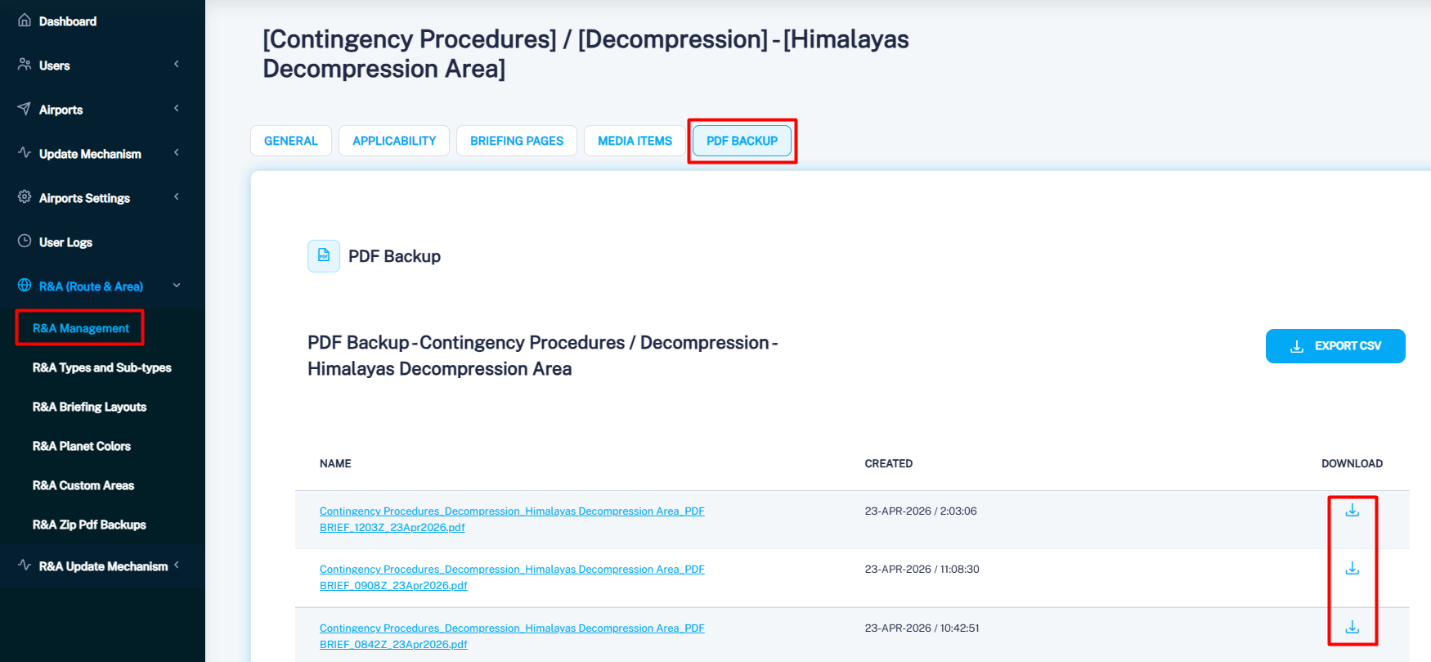
From the left‑side menu, go to Airport Management and open the PDF Backup tab. A PDF backup is automatically created each time an airport update is published through the Update Mechanism. You can download each individual change separately. You can do the same for the Route and Area Object with a briefing attached to it by going to R&A management – choose an object from the list, open PDF Backup and download the desired PDF.
 Karolina Maksimovska